VPN for Roblox — Play Games Without Restrictions
· 7 min read

VPN for Roblox

Roblox is one of the world's largest platforms for user-generated games, with millions of players building and playing together in virtual worlds. However, like many online platforms, Roblox faces geo-restrictions, regional blocking, and connectivity issues that prevent players from enjoying the full experience. A VPN for Roblox solves these problems while keeping your account secure and improving your gameplay.

Why Do Roblox Players Need a VPN?

Roblox is banned or heavily restricted in certain countries due to government regulations, censorship, or licensing issues. Even in countries where it's available, players may face:

  • Geo-blocking — Some Roblox games are restricted to specific regions
  • ISP throttling — Your internet provider may slow down gaming traffic
  • High ping — Distance to game servers causes lag
  • Account security risks — Hackers can target your IP address during gameplay
  • Regional pricing — Robux prices vary by country and can be more expensive

A VPN for Roblox removes all these obstacles.

How a VPN Helps You Play Roblox Better

1. Bypass Geographic Restrictions

Some countries ban Roblox entirely or restrict access to certain games. With a VPN, you can:

  • Connect to a server in the US, UK, or Canada where Roblox is unrestricted
  • Access the full Roblox library from anywhere
  • Play games that are region-locked
  • Access Roblox in countries where it's blocked

2. Reduce Ping and Lag
Roblox VPN Performance

Gaming performance depends heavily on ping (latency). By connecting to a VPN server closer to Roblox's game servers, you can:

  • Lower your ping from 150+ ms to 50-80 ms
  • Reduce lag spikes that cause freezing
  • Improve competitive gameplay in racing, combat, and parkour games
  • Get smoother animations and faster response times

3. Protect Against DDoS Attacks and IP Targeting

High-level Roblox players are sometimes targeted by DDoS attacks from other players who want to kick them off the server. A VPN:

  • Hides your real IP address from attackers
  • Makes DDoS attacks ineffective — they target the VPN server instead
  • Protects your personal information linked to your IP
  • Prevents game account hijacking on insecure networks

4. Prevent ISP Throttling

Some internet providers throttle gaming traffic to reduce network load. A VPN:

  • Encrypts your traffic so ISPs can't identify it as gaming data
  • Prevents intentional slowdowns that ruin gameplay
  • Ensures consistent speeds during gaming sessions

5. Save Money on Robux

Robux prices differ by country. Using a VPN to connect to a region with lower prices can save you money on in-game currency.

Best VPN Settings for Roblox

Protocol: WireGuard

  • Fastest VPN protocol available
  • Lowest latency — perfect for competitive games
  • Lightweight — minimal battery drain on mobile

Server Selection

  • Choose a server near Roblox datacenters (usually in the US or Europe)
  • Pick servers with low load for maximum speed
  • Switch servers if you experience high ping

Connection Type

  • Use Ethernet on PC (not Wi-Fi) for the most stable connection
  • Connect to 5GHz Wi-Fi on mobile for better speeds
  • Close background apps that use bandwidth

How to Set Up VPN for Roblox

On Windows/Mac PC

  1. Download a VPN app (BeFreeVPN or similar)
  2. Install and open the application
  3. Select a US or UK server from the server list
  4. Connect and wait for the secure tunnel to establish
  5. Launch Roblox through your web browser or Roblox app
  6. Start playing — your connection is now protected

On Mobile (Android/iOS)

  1. Download the VPN app from Google Play Store or App Store
  2. Log in with your account
  3. Select your server (preferably US or UK for best performance)
  4. Tap Connect
  5. Approve VPN permissions when iOS/Android asks
  6. Open Roblox — the VPN will stay connected in the background

On Roblox Studio (Game Development)

Developers also benefit from VPNs:

  • Access Roblox Studio from regions where it's blocked
  • Connect to game servers during development
  • Test multiplayer games without latency issues

Performance Tips for Roblox VPN Gaming

Do's:

  • ✅ Use WireGuard protocol for best speed
  • Close unnecessary programs that use bandwidth
  • Test multiple servers to find the fastest one
  • Use Ethernet connection on PC for stability
  • Keep the VPN app updated for best performance

Don'ts:

  • ❌ Don't use free VPNs — they're too slow for gaming
  • ❌ Don't connect to distant servers (causes high ping)
  • ❌ Don't use OpenVPN protocol — it's slower than WireGuard
  • ❌ Don't enable all security features at once (reduces speed)

Will Roblox Ban Me for Using a VPN?

No. Roblox's Terms of Service do not explicitly forbid VPN use. However:

  • Roblox may detect unusual IP changes and require account verification
  • Use the same VPN server consistently to avoid detection
  • Don't use VPN to cheat or violate Roblox terms of service
  • Follow all Roblox rules — the VPN is just for privacy and access

Common Roblox + VPN Issues and Solutions

High Ping Despite Using VPN

  • Switch to a different server
  • Try a different VPN provider
  • Move closer to your Wi-Fi router
  • Close background apps consuming bandwidth
  • Use Ethernet instead of Wi-Fi

VPN Keeps Disconnecting

  • Update your VPN app to the latest version
  • Disable IPv6 leak protection (can cause issues)
  • Try a different server
  • Restart your device

Roblox App Won't Open With VPN

  • Clear the Roblox app cache
  • Reinstall the Roblox app
  • Use web browser instead of the app
  • Disable VPN, open Roblox, then reconnect VPN

Account Verification Required

  • This is normal when accessing Roblox from a new IP
  • Verify your account through email or SMS
  • Use the same VPN server afterward to avoid repeated verification

FAQ

Q: Can I use a free VPN for Roblox? A: Free VPNs are too slow for gaming and unreliable. They also have data caps and security risks. Use a premium VPN for the best experience.

Q: Does VPN reduce Roblox security? A: No. A VPN increases security by encrypting your connection and hiding your IP. Your Roblox account is safer on a VPN.

Q: Will a VPN slow down my Roblox games? A: A quality VPN may add minimal latency (5-10ms), but you'll actually play faster because of reduced ISP throttling and better server routing.

Q: Can I use VPN on mobile Roblox? A: Yes. Download a mobile VPN app, connect, then open Roblox. The VPN works in the background.

Q: Is using VPN for Roblox legal? A: Yes. VPNs are legal in most countries. Using a VPN to access Roblox is not against the law. Just follow Roblox's Terms of Service.

Conclusion

A VPN for Roblox is essential for players who want to:

  • Bypass geo-restrictions and play from any country
  • Reduce lag and improve competitive gameplay
  • Protect their accounts from attacks and theft
  • Avoid ISP throttling for consistent performance

With BeFreeVPN, you get fast, reliable, and secure connections optimized for gaming. Download it today and enjoy the full Roblox experience without restrictions.
VPN for Disney Plus — Watch Any Content From Anywhere

· 6 min read

VPN for Disney Plus

Disney+ has become one of the world's most popular streaming services, offering thousands of movies, series, and exclusive content from Marvel, Star Wars, Pixar, and National Geographic. But there's a catch — not all content is available in every country. Geo-restrictions, regional licensing, and content blocks can prevent you from accessing your favorite shows. A VPN for Disney+ solves all of these problems instantly.

Why Is Disney+ Content Geo-Restricted?

Disney+ distributes its content under regional licensing agreements. This means:

  • A Marvel series available in the US may not be on Disney+ in your country
  • Some Disney+ libraries (like Star content in Europe) are unavailable in other regions
  • Certain countries have no Disney+ service at all
  • New releases may appear weeks or months later in your region

A VPN for Disney Plus lets you bypass all these restrictions by connecting to a server in the country where the content is available.

How a VPN Works With Disney+

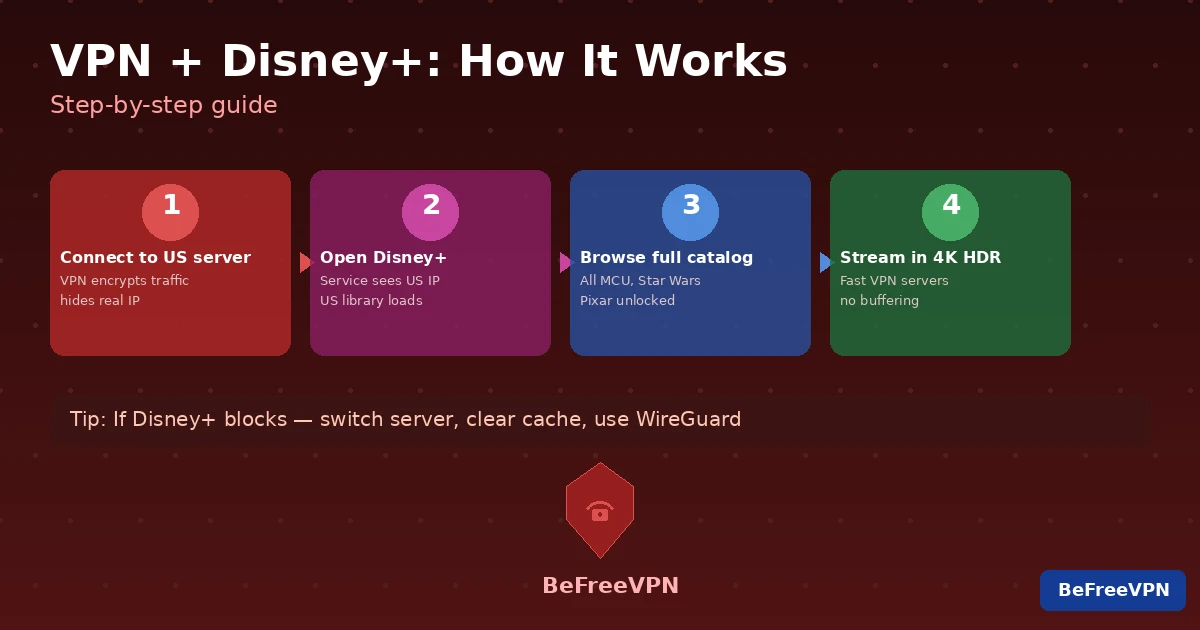
When you connect to a VPN server in another country, Disney+ sees that server's IP address — not your real one. From Disney+'s perspective, you are watching from that country and can access its full library.

Step-by-Step

  1. Connect to a VPN server in the US, UK, or another target country
  2. Open the Disney+ app or website
  3. Browse the full regional library
  4. Watch without restrictions

It takes less than a minute to switch regions and unlock new content.

What Content Can You Unlock With a VPN?

Disney Plus Content by Region

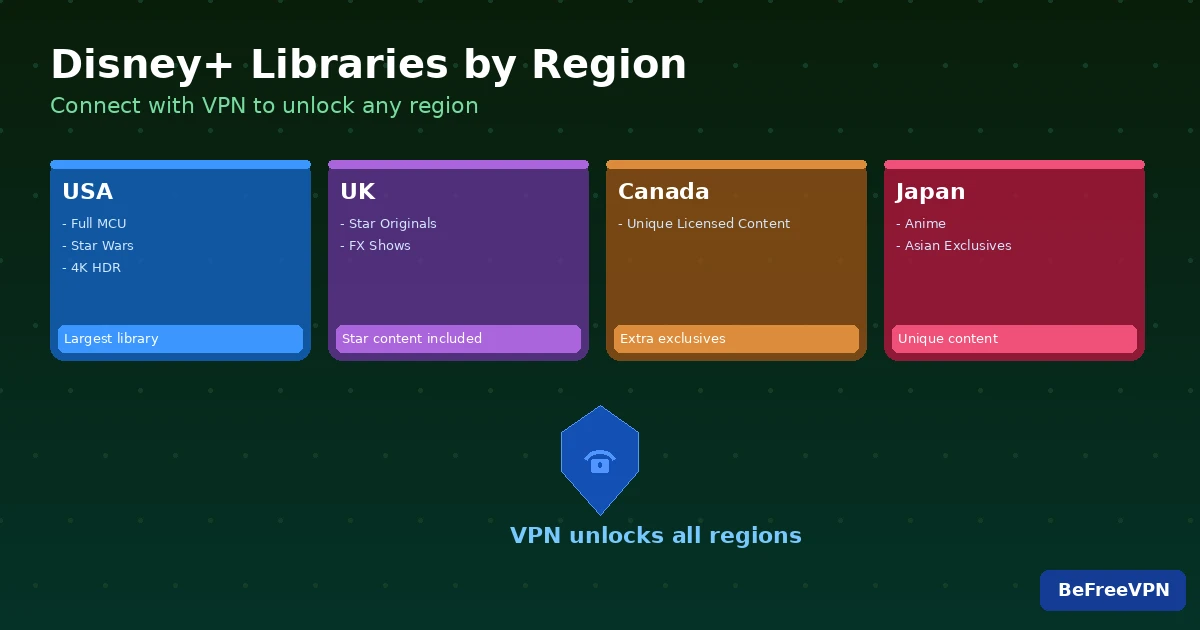
Different Disney+ regions have different libraries. Here's what a VPN can unlock:

US Disney+ Library

The American library is the most complete:

  • Full Marvel Cinematic Universe catalog including all Disney+ Original series
  • Star Wars — every film and series (The Mandalorian, Andor, Obi-Wan Kenobi)
  • 20th Century Studios titles not available elsewhere
  • Early releases of theatrical films

UK Disney+ (with Star)

  • Exclusive Star originals and general entertainment content
  • FX and Hulu Originals licensed for the UK
  • Extended back-catalog of classic films

Other Regions

  • Canada: unique licensed content not in the US
  • Australia: early access to some Asia-Pacific exclusives
  • Japan: anime and Asian-market exclusive content

Benefits of Using a VPN for Disney+

1. Access the Largest Library

The US Disney+ library has thousands more titles than most other regions. With a VPN for Disney Plus, you always have access to the full catalog.

2. Watch Before Your Local Release Date

New MCU or Star Wars content sometimes premieres in the US before other countries. Connect to a US server and watch on release day, not weeks later.

3. Use Disney+ in Countries Where It's Unavailable

Traveling or living in a country without Disney+? A VPN lets you keep your subscription working anywhere in the world.

4. Protect Your Privacy While Streaming

A VPN encrypts all your internet traffic — including your Disney+ streams. Your ISP cannot see what you're watching, and your data stays private.

5. Bypass ISP Throttling

Some ISPs throttle streaming traffic to reduce bandwidth usage. A VPN hides the nature of your traffic, preventing throttling and ensuring smooth, buffer-free playback.

How to Choose the Best VPN for Disney+

Not every VPN works with Disney+. Streaming platforms actively detect and block VPN IP addresses. Here's what to look for:

Works Reliably With Disney+

Choose a VPN that is regularly tested against Disney+ and updates its servers to stay ahead of blocks.

Fast Streaming Speeds

4K HDR streaming on Disney+ requires at least 25 Mbps. Your VPN should have fast enough servers to support this without buffering.

US Server Network

Make sure the VPN has multiple US servers — if one gets blocked, you can switch to another.

No-Logs Policy

A trustworthy VPN does not store records of your browsing activity. Look for independently audited no-logs policies.

Easy-to-Use Apps

The VPN should have polished apps for all your devices — smart TVs, phones, tablets, laptops, and streaming sticks.

Setting Up a VPN for Disney+

On a Phone or Tablet (Android / iOS)

  1. Download the VPN app from the App Store or Google Play
  2. Log in and open the server list
  3. Connect to a US server
  4. Open Disney+ and enjoy the full library

On a Smart TV or Streaming Stick

  1. Install the VPN app directly on your TV (if supported)
  2. Or set up the VPN on your Wi-Fi router to protect all home devices
  3. Alternatively, use screen mirroring from a phone with an active VPN

On a PC or Mac

  1. Install the VPN desktop app
  2. Choose a US or UK server
  3. Open disneyplus.com in your browser
  4. Stream in full HD or 4K

FAQ

Will Disney+ ban my account for using a VPN?

Disney+'s Terms of Service technically prohibit circumventing geo-restrictions. However, in practice, account bans for VPN use are extremely rare. The main risk is that Disney+ may show an error if it detects the VPN. In that case, switch to a different server and try again.

Why does Disney+ sometimes not work with a VPN?

Disney Plus Troubleshooting with VPN

Disney+ regularly blocks known VPN IP addresses. If you get an error:

  • Switch to a different server in the same country
  • Clear your browser cache or restart the app
  • Try a different VPN protocol (WireGuard, OpenVPN UDP)
  • Contact your VPN support — quality VPNs update servers regularly to maintain Disney+ access

Do I need to create a new Disney+ account for each region?

No. Your existing Disney+ account works regardless of which regional library you access via VPN. The content you see changes based on your VPN server location, but your account, watchlist, and payment remain the same.

Which countries have the best Disney+ libraries?

The US has the most complete library. The UK and Canada are strong second choices. Japan has unique anime content. Use a VPN to access any of them.

Tips for the Best Disney+ Experience With a VPN

  • Use WireGuard protocol — it's the fastest and most stable for streaming
  • Choose a server with low load for the highest bandwidth
  • Connect before opening Disney+ to ensure the correct region loads
  • Bookmark your VPN app for quick access when switching regions
  • Test multiple US servers — some may be faster depending on your location

Conclusion

A VPN for Disney+ is the ultimate tool for any Disney fan. Whether you want to access the full US library, watch new releases before they reach your country, or keep streaming while traveling, a VPN makes it all possible. With BeFreeVPN, you get reliable, fast connections that work with Disney+ across all your devices. Stop missing out on content — unlock the full Disney+ experience today.

VPN for Mobile Gaming

· 6 min read

VPN for Mobile Gaming

Mobile gaming has exploded in popularity — billions of people play games on their smartphones every day. Whether you enjoy battle royale games, MMORPGs, or casual multiplayer titles, a VPN for mobile gaming can significantly improve your experience. From reducing lag to protecting against cheaters, a VPN is an essential tool for the serious mobile gamer.

Why Do Mobile Gamers Need a VPN?

Mobile games rely heavily on stable and fast internet connections. Unlike PC gaming, mobile gamers often switch between Wi-Fi and mobile data, exposing themselves to unstable connections and security risks. A VPN solves many of these problems by encrypting your traffic and routing it through optimized servers.

Key Benefits of a VPN for Mobile Gaming

1. Access Geo-Restricted Games and Content

Many popular mobile games are released in certain regions before others, or contain content exclusive to specific countries. With a VPN for mobile gaming, you can:

  • Play games before their global release
  • Access region-exclusive events and rewards
  • Download apps unavailable in your country's store
  • Connect to game servers in other regions

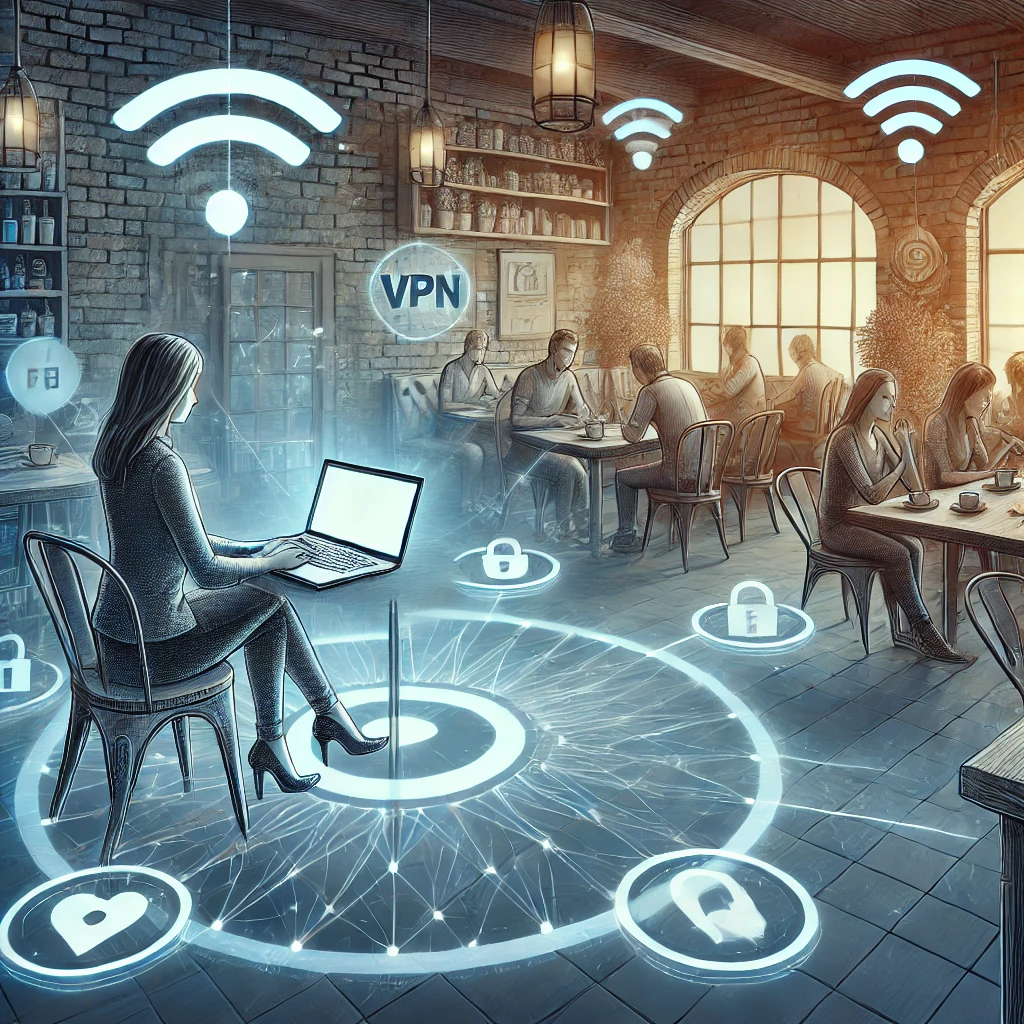
2. Protection on Public Wi-Fi

Mobile Gaming Security

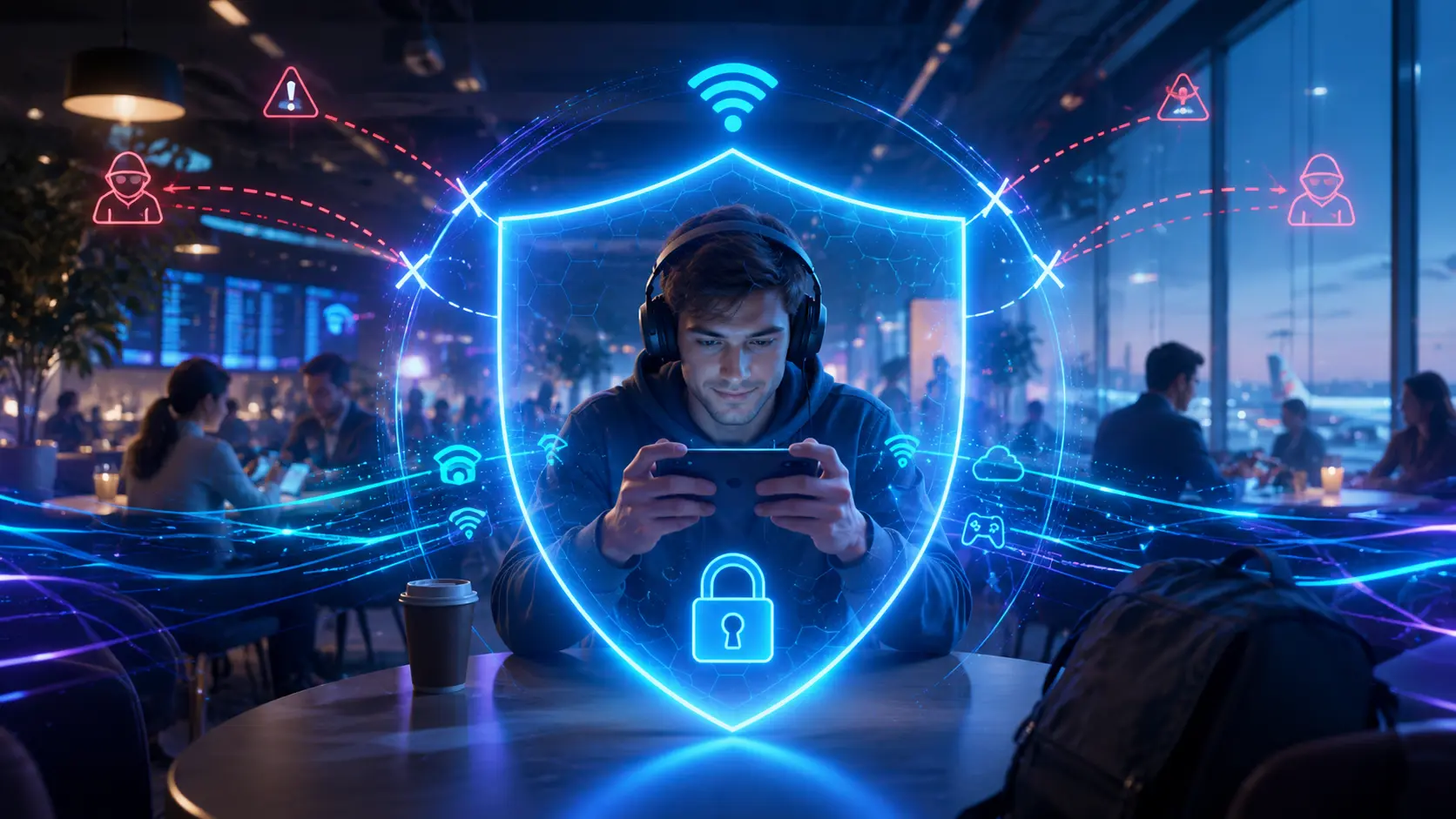
Mobile gamers frequently connect to public Wi-Fi in cafes, airports, and hotels. These networks are notoriously insecure. A VPN encrypts all your traffic, protecting your:

  • Game account credentials — preventing theft of your login data
  • In-game purchases — securing your payment information
  • Personal data — keeping your private information away from snoopers

3. Reduce Ping and Improve Connection Stability

By connecting to a VPN server closer to the game server, you can optimize the routing path for your data packets. This can lead to:

  • Lower ping and reduced latency
  • More stable connections with fewer disconnects
  • Better performance in competitive matches

4. Protection Against DDoS Attacks

Competitive mobile gamers can become targets of DDoS attacks, especially in tournaments. A VPN for mobile gaming hides your real IP address, making it impossible for attackers to target you directly.

5. Bypass Throttling by Your ISP

Some internet service providers throttle gaming traffic to manage network load. A VPN hides the nature of your traffic from your ISP, preventing intentional slowdowns and ensuring you always get the speed you're paying for.

How to Choose the Best VPN for Mobile Gaming

Speed and Performance

Look for VPN services with:

  • Fast servers optimized for gaming traffic
  • WireGuard protocol support — the fastest modern VPN protocol
  • Minimal overhead to keep latency as low as possible

Server Network

A wide server network means more options for optimizing your connection. Make sure the VPN has servers in the countries where your favorite games' servers are located.

Mobile App Quality

Since you'll be using the VPN on a smartphone, the mobile app matters:

  • Easy one-tap connect
  • Battery-efficient operation
  • Automatic connection on untrusted Wi-Fi networks
  • Lightweight design that doesn't slow down your device

Reliability and Uptime

Choose a VPN with a proven track record of uptime. Disconnections during gameplay are frustrating and can cost you matches or in-game progress.

Setting Up a VPN on Your Mobile Device

For Android

  1. Download the VPN app from the Google Play Store
  2. Create an account or log in
  3. Select a server — choose one near your game's server location for best performance
  4. Tap Connect and launch your game

For iOS (iPhone / iPad)

  1. Download the VPN app from the App Store
  2. Log in to your account
  3. Grant VPN permissions when prompted by iOS
  4. Choose a server and tap Connect
  5. Launch your game — you're protected

VPN for Popular Mobile Games

Here's how a VPN can help with specific popular genres:

Game TypeVPN Benefit
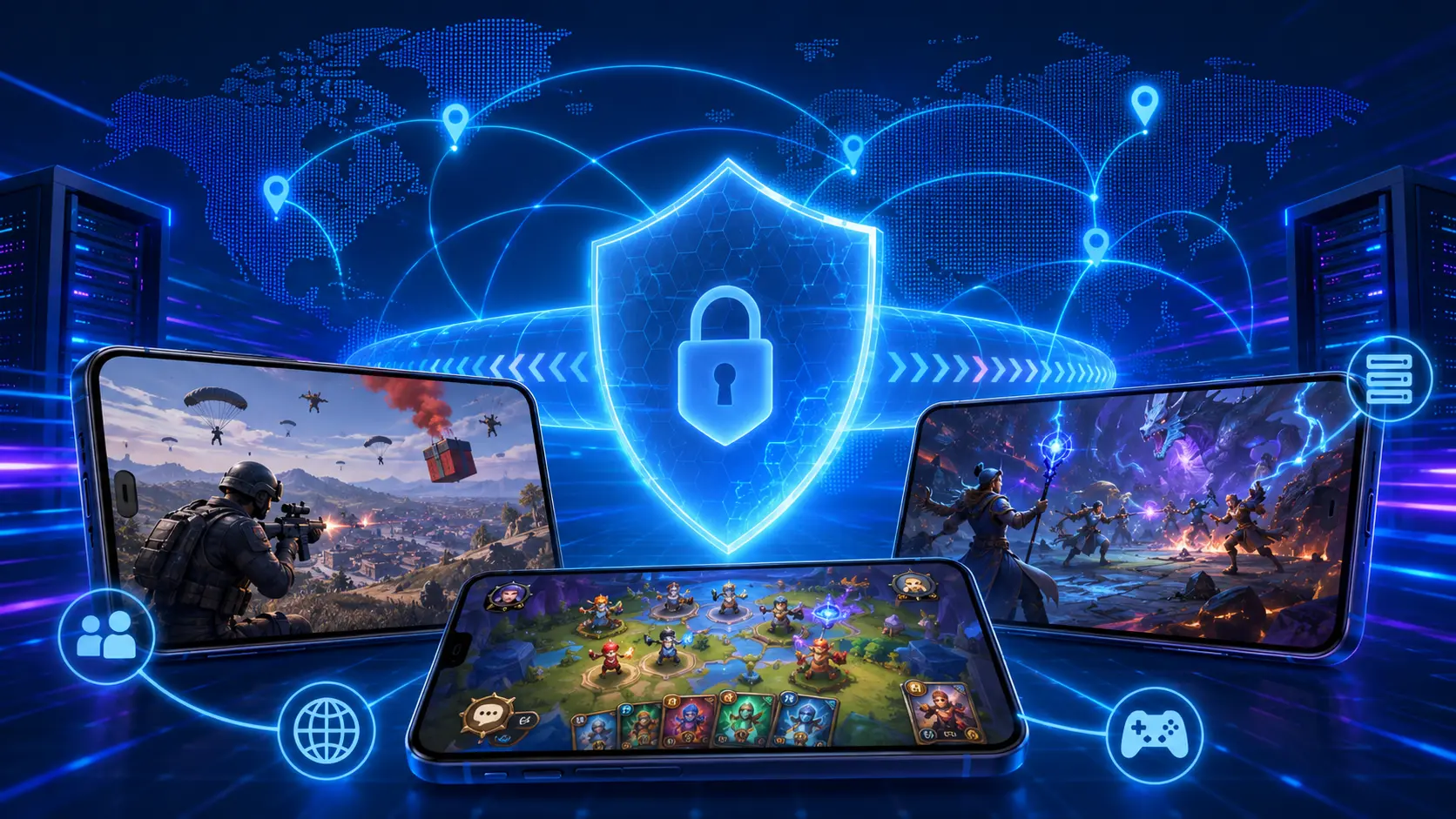
Battle Royale (PUBG Mobile, Free Fire)Hide IP, protect against targeted attacks, access regional servers
MMORPG (Mobile Legends, Arena of Valor)Access early releases, reduce ping to Asian servers
Casual MultiplayerBypass geo-restrictions, play with friends abroad
Card & Strategy GamesAccess all regional content and exclusive events

Tips for Getting the Most Out of Your VPN While Gaming

  • Use WireGuard protocol for the best balance of speed and security on mobile
  • Connect before launching the game to ensure smooth authentication
  • Choose a server with low load — a less busy server provides better speeds
  • Enable auto-connect on Wi-Fi to always stay protected on public networks
  • Test multiple server locations to find the one with the lowest ping for your game

Common Concerns About Using a VPN in Mobile Games

Will I Get Banned for Using a VPN?

Most mobile games do not ban players simply for using a VPN. However, using a VPN to gain an unfair advantage (such as accessing tournament servers you shouldn't be on) may violate terms of service. Always use VPN responsibly.

Does a VPN Drain My Phone Battery?

Modern VPN apps are designed to be efficient. VPN protocols like WireGuard have minimal battery impact compared to older protocols like OpenVPN. Choose a reputable VPN app that is optimized for mobile.

Will a VPN Slow Down My Game?

Not necessarily. While VPNs add a small amount of encryption overhead, a quality VPN can actually reduce latency if it routes your traffic more efficiently than your ISP. With a premium VPN and the right server, you may see no difference — or even an improvement.

Conclusion

A VPN for mobile gaming is more than just a security tool — it's a way to unlock the full potential of your mobile gaming experience. From bypassing geo-restrictions and accessing exclusive content to protecting your account on public Wi-Fi and reducing ping, the benefits are clear. Choose a reliable VPN service, configure it properly on your device, and enjoy a safer, faster, and more open mobile gaming experience with BeFreeVPN.

Hide IP with VPN - A Complete Guide to Protecting Your Privacy Online

· 6 min read

Hide IP with VPN

In the modern digital world, the issue of protecting personal information and privacy online is becoming increasingly relevant. Every time you go online, your IP address becomes accessible to websites, services, and potential attackers. Hiding your IP with VPN is one of the most effective ways to ensure your security and privacy online. In this detailed guide, we will explain what an IP address is, why it should be hidden, how VPN works, and how to choose and use this tool for maximum protection.

What is an IP address and why is it important to hide it?

IP address (Internet Protocol Address) is a unique numeric identifier for your device on the network. It is used to transfer data between devices and allows websites and services to identify your location and device. Your IP address can reveal:

  • Geographic location: The country, city, and even the neighborhood where you are located.
  • Internet provider: The company that provides you with internet access.
  • Online activity: The websites you visit and the actions you take online.

Why hide your IP address?

  1. Privacy protection: Prevents advertisers, internet providers, and government agencies from tracking your online activity.
  2. Bypass geo-restrictions: Allows access to content that is unavailable in your region due to geographic restrictions.
  3. Increased security: Reduces the risk of cyberattacks, hacking, and phishing attacks.
  4. Avoid censorship: Allows you to bypass censorship restrictions in countries with strict internet control.

How does VPN help hide your IP address?

VPN (Virtual Private Network) is a technology that creates a secure connection (tunnel) between your device and the VPN server. When connected to a VPN, the following happens:

  • Data encryption: All transmitted information is encrypted, making it inaccessible to third parties.
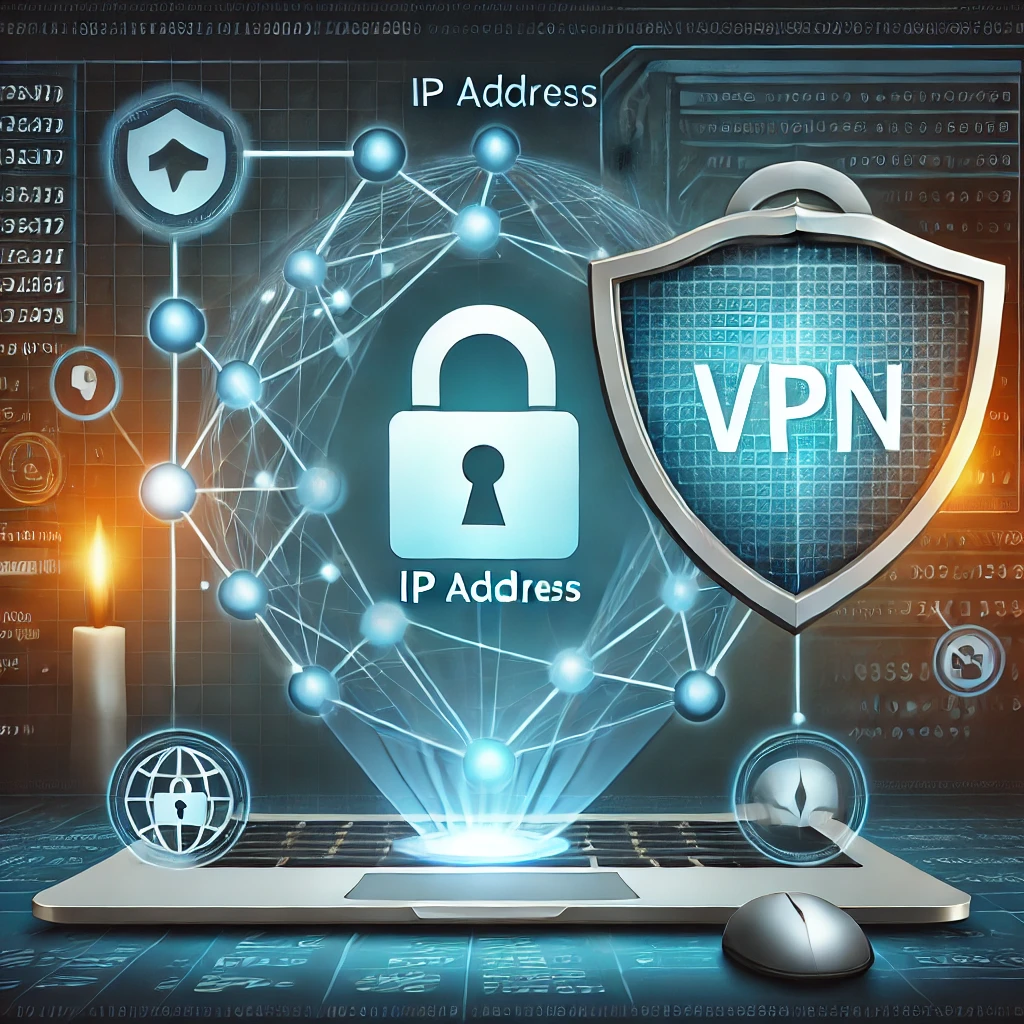
  • IP address replacement: Your real IP address is replaced with the IP address of the VPN server located in the country of your choice.

Thus, websites and services see the IP address of the VPN server instead of your real one, providing anonymity and security online.

Benefits of using VPN to hide IP

1. Anonymity and Privacy

  • Location masking: Your real location remains unknown, preventing targeted ads and tracking.
  • Protection from surveillance: Internet providers and government agencies cannot monitor your online activity.

2. Access to blocked content

  • Bypass geographic restrictions: Access to streaming services, social networks, and news websites blocked in your region.
  • Freedom of information: The ability to get reliable information without censorship.

3. Security on public Wi-Fi networks

  • Data encryption: Protects your information when using public networks, preventing data interception.
  • Prevention of cyberattacks: Reduces the risk of "man-in-the-middle" (MITM) attacks.

4. Savings and discounts

  • Dynamic pricing: The ability to get better prices on flights, hotels, and services by changing your virtual location.

How to choose a reliable VPN service?

When choosing a VPN service, it is important to consider the following criteria:

  1. No-logs policy
    Ensure that the provider does not store logs of your activity. This guarantees that your information will not be passed on to third parties.

  2. Connection speed and stability
    High speed is important for streaming, online gaming, and downloading large files.
    A stable connection ensures uninterrupted work without disconnections.

  3. Wide network of servers
    A large number of servers in different countries offers more options for bypassing geo-restrictions.
    The ability to choose a server closer to your location for increased speed.

  4. Device compatibility
    Support for various platforms: Windows, macOS, iOS, Android, Linux, and even routers.
    Simultaneous connection of multiple devices under one account.

  5. Additional features

    • Kill Switch: Automatically disconnects from the internet if the VPN connection drops, preventing data leaks.
    • DNS and IPv6 leak protection: Additional security measures to protect your information.
    • Split tunneling: The ability to choose which apps use VPN and which don’t.
  6. Customer support

    • 24/7 support via chat or email.
    • Knowledge base, instructions, and FAQs.

Steps to install and set up VPN to hide IP

Steps to install and set up VPN to hide IP

  1. Choose a VPN service
    Research various VPN services, compare their features, prices, and user reviews.
    Popular VPN services: NordVPN, ExpressVPN, CyberGhost, BeFreeVPN.

  2. Register an account
    Go to the official website of the selected service and choose the appropriate pricing plan.
    Register an account by providing the necessary information.

  3. Download and install the application
    Download the application for your operating system from the official website.
    Install the application by following the instructions of the installer.

  4. Set up and connect
    Launch the application and log in to your account.
    Choose a server (country) to connect to.
    Click the connection button and wait for the secure connection to be established.

  5. Check your IP address
    After connecting, visit a site to check your IP address (for example, whatismyip.com).
    Make sure that the IP address of the VPN server is displayed, not your real one.

Tips for safe VPN usage

  • Always use the latest version of the application: Updates contain security fixes and new features.
  • Activate security features: Enable Kill Switch and DNS/IPv6 leak protection in the settings.
  • Avoid free VPNs: They are often limited in functionality, speed, and may collect your data.
  • Be cautious with public Wi-Fi: Even with VPN, avoid entering confidential information on untrusted networks.

Common VPN myths

1. VPN is only for those who hide illegal activities

Reality: VPN is used to protect privacy by law-abiding citizens, businesspeople, and anyone who values their online security.

2. VPN significantly slows down internet speed

Reality: Modern VPN services offer high-speed servers, and the reduction in speed is often unnoticeable.

3. VPN guarantees full anonymity

Reality: While VPN greatly increases the level of anonymity, complete anonymity is impossible without additional measures (anonymizers, secure browsers, etc.).

4. VPN setup is difficult

Reality: Most VPN services offer intuitive applications with simple setup in just a few clicks.

Additional ways to protect yourself online

Additional ways to protect yourself online

  • Use strong passwords: Complex and unique passwords for each account.
  • Two-factor authentication: Adds an additional layer of security to your accounts.
  • Antivirus software: Detects and removes malicious programs.
  • Software updates: Regularly update your OS and apps to fix vulnerabilities.

Conclusion

Protecting personal data online is a necessity in the modern world. Hiding your IP with VPN is an effective way to ensure your security, maintain privacy, and gain access to information freedom. Choosing and using a VPN service correctly will allow you to use the internet without worrying about being tracked or falling victim to cyberattacks.

Remember that your security depends on your awareness and informed actions.

A VPN for online gaming

· 6 min read

VPN for Online Gaming

In today's world, online gaming has become an integral part of the lives of millions of people. It allows players to immerse themselves in exciting virtual worlds, communicate with friends, and compete with players around the globe. However, as the popularity of online gaming grows, so do the risks associated with security and connection stability. In this article, we will discuss how a VPN for online gaming can improve your gaming experience and provide protection against hacking in games.

What is a VPN and How Does It Work?

VPN (Virtual Private Network) is a technology that creates a secure and encrypted connection between your device and the internet. When using a VPN, your traffic passes through a remote server, allowing you to hide your real IP address and protect your data from being intercepted by third parties.

Benefits of Using a VPN for Online Gaming

1. Protection Against DDoS Attacks

Players, especially professional eSports athletes, can become targets of DDoS attacks intended to knock them out of a game. A VPN for online gaming helps to hide your real IP address, making you invisible to attackers and protecting you from such attacks.

2. Reduced Ping and Connection Stability

VPN services have servers worldwide. By connecting to a server that is closer to the game server, you can reduce ping and improve connection stability. This is especially relevant if game servers are located in another country.

3. Access to Geo-Restricted Content

Access to Blocked Games

Some games and game servers may be unavailable in your region due to geographical restrictions. With a VPN, you can change your virtual location and gain access to games and servers that would otherwise be inaccessible.

4. Protection Against Hacks and Cyber Attacks

A VPN for protection against hacking in games encrypts your data, making it inaccessible to hackers. This is particularly important when using public Wi-Fi networks, where the risk of data interception is significantly higher.

How to Choose a VPN for Online Gaming?

1. High Speed and Low Ping

For comfortable gaming, a high-speed connection and minimal latency are essential. Choose VPN services with fast servers optimized for gaming.

2. Server Locations

Make sure the VPN has servers in the countries where the game servers you want to connect to are located. This will help reduce ping and improve connection quality.

3. Reliable Protection and Encryption

Choose a VPN with modern encryption protocols, such as OpenVPN or WireGuard, to ensure maximum protection against hacking in games.

4. No-Log Policy

The VPN service should not store logs of your activity to guarantee complete privacy.

5. Device Compatibility

Make sure the VPN supports the devices you play on: PC, consoles, smartphones, etc.

Setting Up a VPN for a Gaming Device

For PC

  1. Download and install the VPN client from the official website of the chosen service.
  2. Log in to the application.
  3. Choose a server that is optimal for your game.
  4. Connect and launch the game.

For Game Consoles

  1. Set up a VPN on your router: If your VPN service supports router configuration, you can protect all devices in the network.
  2. Use internet sharing: Connect the console to a PC or laptop with a VPN configured via Ethernet or Wi-Fi.

Recommendations for Using a VPN in Online Gaming

  • Regularly update the VPN client to protect against vulnerabilities.
  • Check connection speed: If the ping is too high, try changing the server.
  • Avoid free VPNs: They often have speed and data volume limitations and may not provide adequate security.

How Does a VPN Protect Against DDoS Attacks?

Protection from DDoS Attacks

DDoS attacks (Distributed Denial of Service) are aimed at overloading your network, leading to disconnection from the server or reduced connection quality. Attackers can obtain your IP address through a gaming platform or voice chat and use it for an attack.

A VPN for online gaming hides your real IP address by providing the VPN server's IP address instead. Thus, even if an attacker attempts an attack, the target will be hidden, making the attack unsuccessful.

Protecting Personal Data and Accounts

Online games often require entering personal data and financial information for in-game purchases. A VPN for protection against hacking in games provides an additional level of security by encrypting your data and preventing hackers from intercepting it.

Bypassing Blocks and Censorship

In some countries, access to certain games or game servers may be restricted due to regional licenses or political reasons. By using a VPN, you can bypass these restrictions and access your favorite games regardless of your location.

Tips for Improving Gaming Experience with a VPN

  • Use a wired connection: Ethernet connection can provide more stable connectivity compared to Wi-Fi.
  • Choose servers with low load: Lower server load on the VPN can provide higher speeds.
  • Configure VPN protocols: Experiment with different protocols (UDP, TCP) to optimize speed and stability.

Common Myths About VPN in Online Gaming

Myth 1: VPN Always Increases Ping

This is not always true. With the right server and VPN service, ping can even decrease, especially if you connect to game servers via optimized routes.

Myth 2: VPN is Banned in Online Games

Most games do not prohibit the use of VPNs as long as it does not give you an unfair advantage. However, it's important to review the user agreement of a particular game.

Myth 3: VPNs Are Difficult to Set Up

Modern VPN services offer user-friendly applications, and setup takes only a few minutes, even for inexperienced users.

Conclusion

In an era where internet security and privacy are becoming increasingly important, using a VPN for online gaming is a wise step for every gamer. It will not only protect you from hackers and DDoS attacks but also provide access to new gaming content and improve overall connection quality. A VPN for protection against hacking in games will help keep your data safe and protect you from cyber-attacks. Don't miss the opportunity to make your gaming experience safer and more enjoyable with a VPN.

VPN for bypassing censorship

· 6 min read

VPN: A Tool for Security and Freedom in the Digital Space

In the modern world, where the internet has become an integral part of our daily lives, issues of security and freedom of access to information are becoming increasingly relevant. The internet provides us with unlimited opportunities for communication, learning, work, and entertainment. However, along with these opportunities, risks also arise: data leaks, surveillance, censorship, and blockages. This is why using a VPN to bypass blockages and ensure security has become a necessity for many users.

What is VPN and how does it work?

VPN (Virtual Private Network) is a technology that allows you to create a secure and encrypted connection over a public network, such as the internet. When using VPN, your internet traffic passes through a secure tunnel to a remote server, after which it is directed to the internet. This means your real IP address is hidden, and the data is encrypted, ensuring a high level of privacy and security.

VPN principles:

  1. Data encryption: All the data you send and receive is encrypted using complex algorithms, preventing third parties from intercepting and reading the information.
  2. IP address masking: Your real IP address is replaced with the IP address of the VPN server you are connected to, making it difficult to track your location and online activity.
  3. Bypassing geographical restrictions: By connecting to VPN servers in different countries, you can access content unavailable in your region.

Why is using a VPN becoming a necessity?

Protecting personal data

In the digital age, personal data has become a valuable resource. Hackers and cybercriminals are constantly seeking ways to gain access to this information. By using a VPN, you significantly reduce the risks:

  • Protection on public Wi-Fi networks: Public access points are often not adequately secured. VPN prevents your data from being intercepted in such networks.
  • Privacy: Your internet provider and other organizations will not be able to track your online activity.

Bypassing blockages and censorship

Bypassing blockages and censorship

In many countries, access to certain websites and services is restricted for various reasons: political, cultural, or economic. VPN to bypass blockages allows users to access the information they need without restrictions.
  • Access to blocked resources: Social networks, news sites, or services may be unavailable in your country. VPN helps bypass these restrictions.
  • Freedom of information: VPN for bypassing censorship becomes a tool for ensuring freedom of speech and access to independent information.

Improving the online experience

  • Lowering prices: Some online services offer different prices depending on the user's country. By connecting via VPN to a server in another country, you can get better deals.
  • Access to content: Streaming services like Netflix or Hulu have different content libraries for different regions. VPN allows you to watch movies and shows unavailable in your region.

How to choose a reliable VPN service?

When choosing a VPN, it is essential to consider several key factors:

Security and privacy

  • Encryption protocols: Make sure the service uses modern and reliable protocols, such as OpenVPN or IKEv2.
  • No-log policy: Give preference to services that do not store logs of your activity, ensuring complete anonymity.

Speed and performance

  • High connection speed: Some VPNs can significantly slow down your internet connection. Look for services with optimized servers to ensure maximum speed.

Geographic coverage

  • Number of servers and their locations: The more servers and countries a VPN covers, the more options you have to bypass blockages and censorship.

Device and platform support

  • Compatibility: Make sure the VPN service supports all your devices: computers, smartphones, tablets, etc.

Additional features

  • Kill Switch: This feature automatically disconnects the internet if the VPN connection drops, preventing data leakage.
  • P2P support: If you use torrents, make sure the service supports P2P connections.

Using VPN is legal in many countries, but there are states where using VPN is prohibited or restricted by law. Before using VPN to bypass blockages or VPN to bypass censorship, it is recommended to:

  • Familiarize yourself with local legislation: Find out what restrictions exist in your country.
  • Avoid illegal activities: Using VPN does not exempt you from responsibility for illegal actions.

VPN usage recommendations

  1. Update your software: Regularly update the VPN client to protect against vulnerabilities.
  2. Use strong passwords: If your VPN service requires registration, use strong passwords and enable two-factor authentication.
  3. Do not save personal data: When using public devices, do not save your logins and passwords.
  4. Choose the right server: For maximum speed and efficiency, choose servers located closer to your location or in the country where the desired content is available.
  5. Stay informed: Sometimes governments introduce new laws or restrictions affecting the use of VPN. Stay updated with the latest news.

Real-world examples of VPN usage

Journalists and activists

For those working under strict censorship conditions, VPN for bypassing censorship becomes an essential tool. It allows them to communicate securely, transmit information, and access independent news sources.

Travelers

People who frequently visit different countries face geographical restrictions on accessing their favorite services and websites. VPN helps bypass these restrictions and use the internet as they would at home.

Business

Companies use VPN to protect corporate data, especially when employees work remotely. This ensures the security of confidential information and corporate networks.

Potential risks and limitations

  • Speed reduction: Data encryption can slow down the connection. However, modern VPN services minimize this effect.
  • VPN blocking: Some governments and organizations actively block VPN use. In such cases, special protocols or services capable of bypassing such blocks may be required.
  • False sense of security: Using VPN does not guarantee absolute security. It is also important to follow general cybersecurity rules.

Conclusion

In the modern digital world, protecting personal data and free access to information are becoming priority tasks for every user. Using VPN to bypass blockages and VPN to bypass censorship allows for security, privacy, and freedom on the internet.

By choosing a reliable VPN service and following recommendations for its use, you can protect yourself from cyber threats, access the necessary content, and keep your online activity private. The internet should remain a space of freedom and opportunities, and VPN helps make this world more open and secure for everyone.

Remember: online security is not a luxury but a necessity. By investing time and resources in choosing and configuring a VPN, you are taking an important step towards protecting yourself and your data in the digital space.

VPN for Wi-Fi Protection - Ensure the Security of Your Network

· 4 min read

Wi-Fi is used everywhere today: at home, at work, and in public places. We connect our devices to the network to access the internet, send important data, and share personal information. However, our network is not always as secure as we would like. This is where VPN for Wi-Fi protection comes in — a reliable solution that helps protect your data on any network.

Protected wifi

Why is Wi-Fi protection important?

When we connect to public Wi-Fi networks, our data can be at serious risk. Hackers and malicious actors can intercept traffic, steal confidential information, including passwords and credit card data. In such situations, VPN for Wi-Fi security becomes a crucial tool for users who want to maintain their privacy and security.

What is a VPN, and how does it work?

A VPN (Virtual Private Network) is a private network that encrypts all data transmitted over the internet. Thanks to encryption, no one can intercept or read your data, even if you're using a public Wi-Fi network. This is especially relevant when working with financial services, email, or any other confidential information.

When you connect to a VPN, you create a secure tunnel between your device and the server through which all data passes. This makes it inaccessible to outsiders, ensuring maximum security when connecting to the internet via wireless networks.

How does a VPN help protect your Wi-Fi?

By using VPN for Wi-Fi protection, you gain the following benefits:

  1. Data encryption: Your data is protected by complex encryption algorithms, preventing it from being leaked or stolen.
  2. Hiding your IP address: A VPN masks your real IP address, allowing you to remain anonymous online and protected from tracking.
  3. Security on public Wi-Fi networks: Connecting to public Wi-Fi hotspots without using a VPN can be extremely dangerous. A VPN prevents any hacker attempts to intercept your data.
  4. Protection from internet providers: Your internet provider won't be able to track your actions online, which is especially useful when using public Wi-Fi.

Who needs a VPN for Wi-Fi security?

Anyone who connects to the internet via Wi-Fi needs protection. This includes people who frequently travel and connect to public networks in cafes, hotels, and airports, as well as those who use Wi-Fi at home. It is important to remember that even a home network may not always be safe, especially if outdated equipment or a weak password is used.

VPN for Wi-Fi security is especially useful for the following categories of users:

  • Travelers: Frequently use public networks in cafes, hotels, and airports.
  • Remote workers: Connect to corporate services through personal devices.
  • Those who make online payments: It's important to protect financial data.
  • Ordinary users: Any connection to the internet through unsecured networks carries the risk of data leakage.

How to choose a VPN for Wi-Fi protection?

When choosing a VPN, pay attention to several key factors:

  1. Encryption level: Choose services that offer modern encryption standards, such as AES-256.
  2. Connection speed: A VPN should not slow down your internet connection. Some VPN services offer high speed while maintaining maximum protection.
  3. Server availability: A good VPN should have many servers in different countries, allowing you to choose the optimal one in terms of speed and location.
  4. Privacy policy: Check whether the VPN saves your data. Reliable services do not keep logs of user activity.
  5. Device compatibility: Make sure the chosen VPN is compatible with your devices (smartphone, tablet, laptop).

The market offers many VPN services that provide a high level of protection when using wireless networks. One of them is: BeFreeVPN

  • BeFreeVPN: This solution provides excellent protection for your Wi-Fi and offers various features for network security.

Conclusion

Using a VPN for Wi-Fi protection is essential in today's world, where data security is becoming increasingly important. No matter where you are or which network you are using, a VPN will help protect your information from hackers and malicious actors.

Don't risk your data — install a VPN for Wi-Fi security and enjoy safe internet access every day!

How to Set Up a VPN for TVs and Smart TV

· 3 min read

Setting up VPN on Smart TV

In the modern world, Smart TVs have become an integral part of our lives, providing access to a wide variety of content right on your TV screen. However, geographical restrictions and security threats can limit your viewing experience. In this article, we will explain how to use VPN for TVs and VPN for Smart TVs to bypass these restrictions and protect your data.

What is a VPN and Why Do You Need It for Smart TV?

VPN (Virtual Private Network) is a technology that creates a secure connection between your device and the internet. By using VPN for Smart TV, you can:

  • Bypass geo-blocks: Gain access to content that is unavailable in your region.
  • Protect your data: Traffic encryption prevents tracking and data theft.
  • Reduce buffering: Sometimes VPN can improve connection speeds for streaming services.

How to Choose the Right VPN for TVs

Choosing a VPN for Smart TV

When selecting a VPN for TVs, pay attention to the following criteria:

  1. Compatibility: Make sure the service supports your TV model.
  2. Speed and stability: High speed is essential for HD and 4K streaming.
  3. Number of servers: A large number of servers in different countries expands your access to content.
  4. Security: Encryption protocols and no-logs policies will ensure the protection of your data.
  5. Customer support: 24/7 support can help solve potential issues.

Step-by-Step Guide to Installing a VPN on Smart TV

Step 1: Subscribe to a VPN Service

Choose a reliable VPN for Smart TV and subscribe to a suitable plan.

Step 2: Install VPN via the App

  • For Android TV: Go to Google Play Store, find the VPN app, and install it.
  • For other models: If direct installation is unavailable, proceed to the next step.

Step 3: Set Up VPN via Router

Setting up VPN on router

  • Log in to your router settings through the browser.
  • In the VPN section, enter the details provided by your VPN service.
  • Save the settings and restart your router.

Step 4: Connect and Check

  • Launch the VPN app on your TV or make sure the router is connected to the VPN.
  • Select the server in the required country and connect.
  • Verify the connection by opening a geo-restricted service.

Benefits of Using a VPN for TVs

  • Access to international content: Watch movies and series unavailable in your region.
  • Data protection: Encryption prevents hackers from intercepting your data.
  • Improved speeds: Bypassing ISP throttling can enhance your internet speed.

Potential Issues and Their Solutions

Issue: Slow internet speed while using VPN.

Solution: Choose a server closer to your region or switch to a different protocol in VPN settings.

Issue: Streaming service app is still unavailable.

Solution: Clear the app cache or reinstall it to refresh location data.

Conclusion

Using VPN for TVs and VPN for Smart TV opens new entertainment possibilities and provides extra protection for your data. By following this guide, you can easily set up a VPN and enjoy your favorite content without limitations.


Image Selection:

  1. Image of a person setting up a VPN on a Smart TV screen with a remote control in hand.
  2. Graphic representation of choosing a VPN service on the TV screen.
  3. Diagram of VPN setup through a router with highlighted secure connections.

VPN for Protection Against Hackers. Why and How Does It Help?

· 4 min read

In today’s digital world, the threat of cyberattacks is becoming more real and dangerous. Hackers are constantly finding new ways to break into your data, gain access to bank accounts, and steal personal information. One of the best solutions for preventing such threats is using a VPN for protection against hackers. In this article, we will discuss why VPN is essential for your security and how it can help protect your data.

A hacker wants to steal your data

What is a VPN and How Does It Work?

A VPN (Virtual Private Network) is a technology that allows you to encrypt your internet traffic and send it through a secure tunnel. This makes your traffic invisible to third parties, including hackers, ISPs, and even government agencies. When you connect to a VPN, your real IP address is hidden, and instead, the IP address of the VPN server is displayed, making it much harder to track your location and online activities.

For hackers, it becomes nearly impossible to penetrate encrypted traffic, making a VPN an indispensable tool for protecting confidential data. VPN for protection against hackers is the first step toward safe internet surfing and protecting personal information.

Why Do Hackers Threaten Your Security?

Hackers use many techniques to break into users' systems. Here are some common methods:

  1. Phishing — Hackers send fraudulent emails or links that trick you into giving away your passwords or other sensitive information.
  2. Man-in-the-Middle Attacks — The attacker intercepts your communication with an online resource, gaining access to your data.
  3. Malware — Programs that can harm your device, steal data, or block access to your files.

Using a VPN can prevent many of these attacks. For example, when connecting to public networks such as Wi-Fi in cafes or airports, you are at greater risk since such networks often don’t encrypt traffic. A VPN for protection against hackers prevents hacking attempts by encrypting your traffic and making it inaccessible to malicious actors.

Benefits of Using a VPN

Using a VPN provides several key advantages:

1. Data Encryption

One of the main benefits of a VPN is encryption. All data passing through the VPN becomes inaccessible for interception. Even if hackers gain access to your traffic, they won’t be able to decrypt it without the encryption key.

2. Protection in Public Networks

As mentioned earlier, public Wi-Fi networks are a prime target for hackers. Without a VPN, your data is transmitted in plain text, making it an easy target for malicious actors. By connecting to a VPN, you protect your data in any network, even if it’s insecure.

3. Privacy Protection

Many websites and online services track your activity. This data can be used for advertising, analysis, or even sold to third parties. A VPN hides your activity, ensuring anonymity on the internet.

How to Choose a VPN for Protection Against Hackers?

When choosing a VPN for protection against hackers, it’s important to consider several factors:

1. Encryption Level

The stronger the encryption, the harder it is for attackers to intercept and decrypt your data. Look for VPN services that offer 256-bit AES encryption — one of the most reliable encryption methods available today.

2. Connection Speed

Some VPN services may slow down your internet connection. This is due to the additional load on the servers through which your traffic is routed. Choose services that minimize this impact and offer high connection speeds.

3. Privacy Policy

It’s important that the VPN you choose doesn’t store activity logs. This ensures that even the VPN service itself can’t share or sell your data to third parties.

4. Device Support

Ensure the VPN works on all your devices, whether it’s a computer, smartphone, or tablet. Many popular services offer apps for Windows, macOS, iOS, and Android.

Conclusion

The internet is becoming an increasingly unsafe place, especially for those who don’t take care of their cybersecurity. Hackers are constantly improving their attack methods, making them more hidden and effective. However, with the right tools, such as a VPN, you can protect your data and avoid many threats.

VPN protects your data

A VPN for protection against hackers is not a luxury but a necessity for anyone who wants to keep their personal data safe. Encryption, anonymity, and privacy protection are three key reasons why you should consider installing a VPN today.

VPN for YouTube - How to Ensure Freedom of Access to Your Favorite Content

· 4 min read

![YouTube Blocked]Bypass via VPN


YouTube is not just a video platform, but a real treasure trove of knowledge, entertainment, and information. However, for many users, access to this content is limited for a number of reasons, including geographical restrictions, ISP-level blocks, and censorship. To bypass these obstacles and enjoy videos without restrictions, more and more people are choosing VPN for YouTube. In this article, we'll explore how a VPN can help you access blocked content and protect your privacy.


What is a VPN and How Does It Work?

VPN (Virtual Private Network) is a technology that allows you to create a secure connection between your device and the internet. A VPN routes your traffic through a remote server, hiding your real IP address and ensuring anonymity online. This is especially useful for accessing YouTube, as many videos may be unavailable in your region due to geo-blocking.


Why Use a VPN for YouTube?

Bypass Geographical Restrictions

One of the main advantages of using VPN for YouTube is the ability to bypass geographical restrictions. For example, some music videos, documentaries, or TV shows may only be available in certain countries. With a VPN, you can connect to a server in another country and access these videos as if you were located in that country.

Privacy Protection

Using VPN for YouTube also ensures your privacy is protected. ISPs and advertisers often track your online activity, including which videos you watch. A VPN encrypts your traffic, making it invisible to prying eyes. This is especially important if you use public Wi-Fi networks, which can be insecure.

Improved Connection Speed

Some ISPs may deliberately slow down your internet connection when streaming videos to reduce network load. A VPN can help bypass this restriction, providing a more stable and faster connection for watching YouTube videos.


How to Choose the Best VPN for YouTube?

When choosing a VPN for YouTube, it's important to consider several key factors:

  1. Speed: Choose a VPN that offers high connection speeds. This is especially important for watching videos in high resolution, where every second of delay can ruin the viewing experience.

  2. Number of Servers: The more servers a VPN offers, the higher the likelihood that you'll find a server in a country where the content you need is available.

  3. Device Support: Make sure the VPN supports the devices you use to watch YouTube—be it a computer, smartphone, or tablet.

  4. Reliability and Security: It's important that the VPN reliably protects your data and does not keep activity logs. This will ensure maximum anonymity when watching videos.


Setting Up a VPN for YouTube: Step-by-Step Guide

  1. Download and Install a VPN: Choose a reliable VPN service and install it on your device.

  2. Connect to a Server: Open the VPN app and select a server in a country where the desired content on YouTube is available.

  3. Check the Connection: Make sure your connection is secure and the IP address is changed to the address of the server you selected.

  4. Go to YouTube: Open YouTube and start watching videos that were previously unavailable.

Access via VPN

Possible Issues and Their Solutions

Internet Speed Slows Down

Sometimes using a VPN can lead to a slight decrease in internet speed. In such cases, it is recommended to try connecting to another server or choose a VPN optimized for high-speed streaming.

VPN Blocked

Some videos on YouTube may still be unavailable even when using a VPN if the platform detects that you are using a virtual private network. Try switching servers or using a different VPN service.

Video Playback Issues

If YouTube videos are loading slowly or not playing at all, try clearing your browser's cache or restarting the VPN app.


Conclusion

A VPN is not only a way to bypass restrictions on YouTube but also a tool for protecting your privacy online. By choosing VPN for YouTube, you gain the ability to enjoy any content, regardless of your location. Follow our recommendations to make your YouTube experience as comfortable and secure as possible.


This article covers all aspects of using VPN for YouTube and will help you overcome any restrictions. Save it to always have useful tips and recommendations at hand.